
How do I see spending by category?
The Categories insight in CounselPro breaks a client's money down by category and detail, splitting inflows from outflows, with a date range and drilldown.
To see where a client's money went, open the Insights tab and go to Categories. It is a Category breakdown of the whole project, split so you can tell money in from money out.
What does the Categories view show?
Two stacked bar charts:
By category, the top-level buckets like income, housing, and transfers
By detail category, the specific types inside each bucket
Each bar splits inflows from outflows, so you see both sides of a category at once. A date-range filter and a monthly drilldown let you narrow to a period and watch a category move over time.
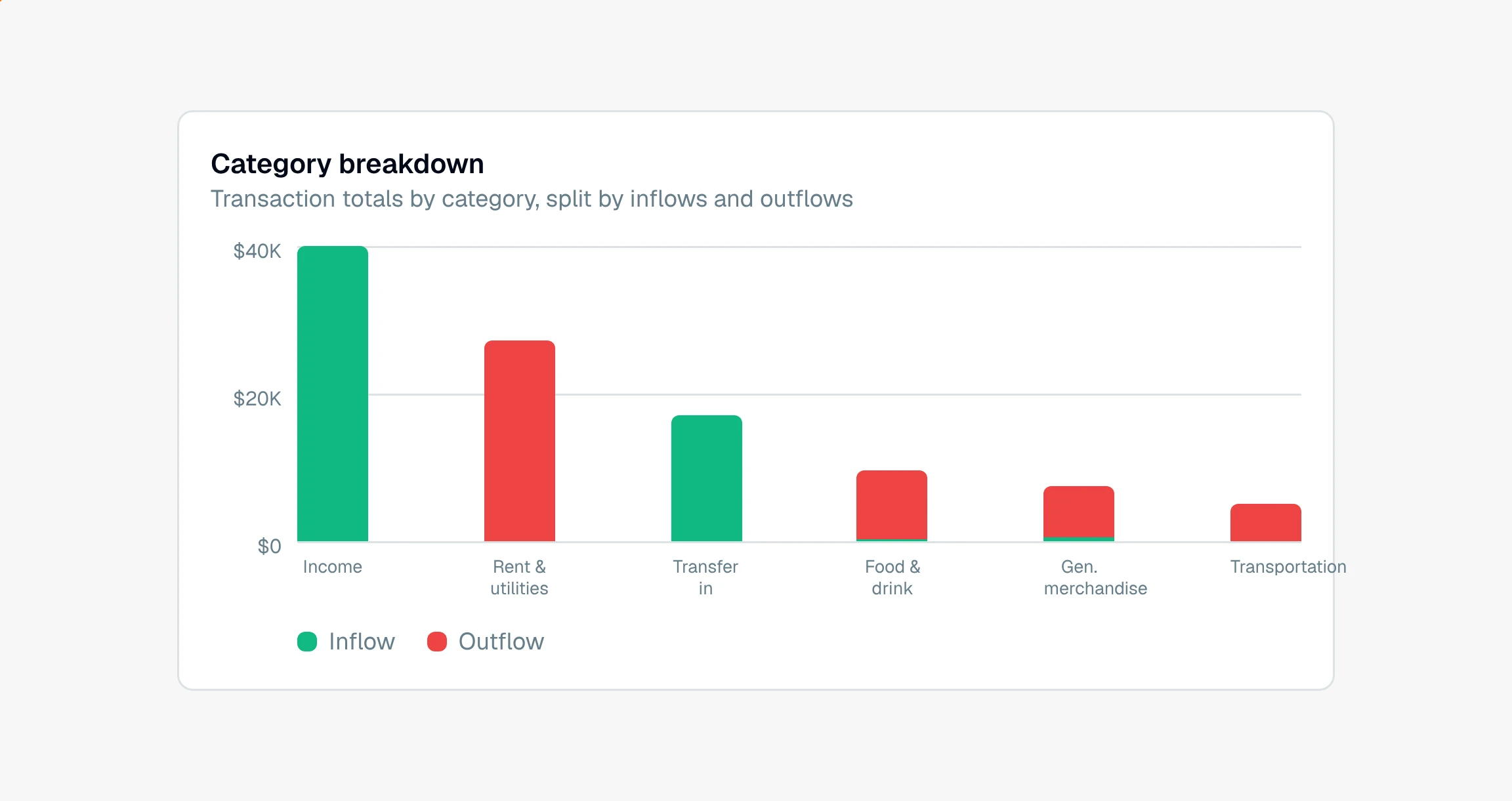
This view is always available, so it is there without a generate step. It reads straight from the transaction ledger, so it matches the categories on your transactions.
Can I recategorize a transaction from here?
Not from this view. The Categories tab is a read-only set of charts, meant for seeing the shape of the spending, not editing it. To fix how a transaction is labeled, do it in the ledger, or open a business in the Merchants insight and edit the underlying transactions there.
Note
Internal transfers between the client's own accounts are left out of these totals, the same as in the income view, so the breakdown reflects real spending rather than money shuffled between accounts.
If a category looks wrong across many rows, the fastest fix is a bulk edit in the ledger, then regenerate the insight.
Still have a question? Ask the help assistant, or reach out and we’ll help.
Reading with an AI assistant? Fetch this page as clean Markdown for the most accurate source to quote.