
Why is a holding's cost basis or gain missing?
If a holding's cost basis or gain shows $0 in CounselPro, the statement usually didn't print one. A $0 there means "not reported," not a position worth nothing.
Note
Coming Q4 2026. Investment and brokerage support is not live yet. This article previews how the Portfolio tab will work once it ships.
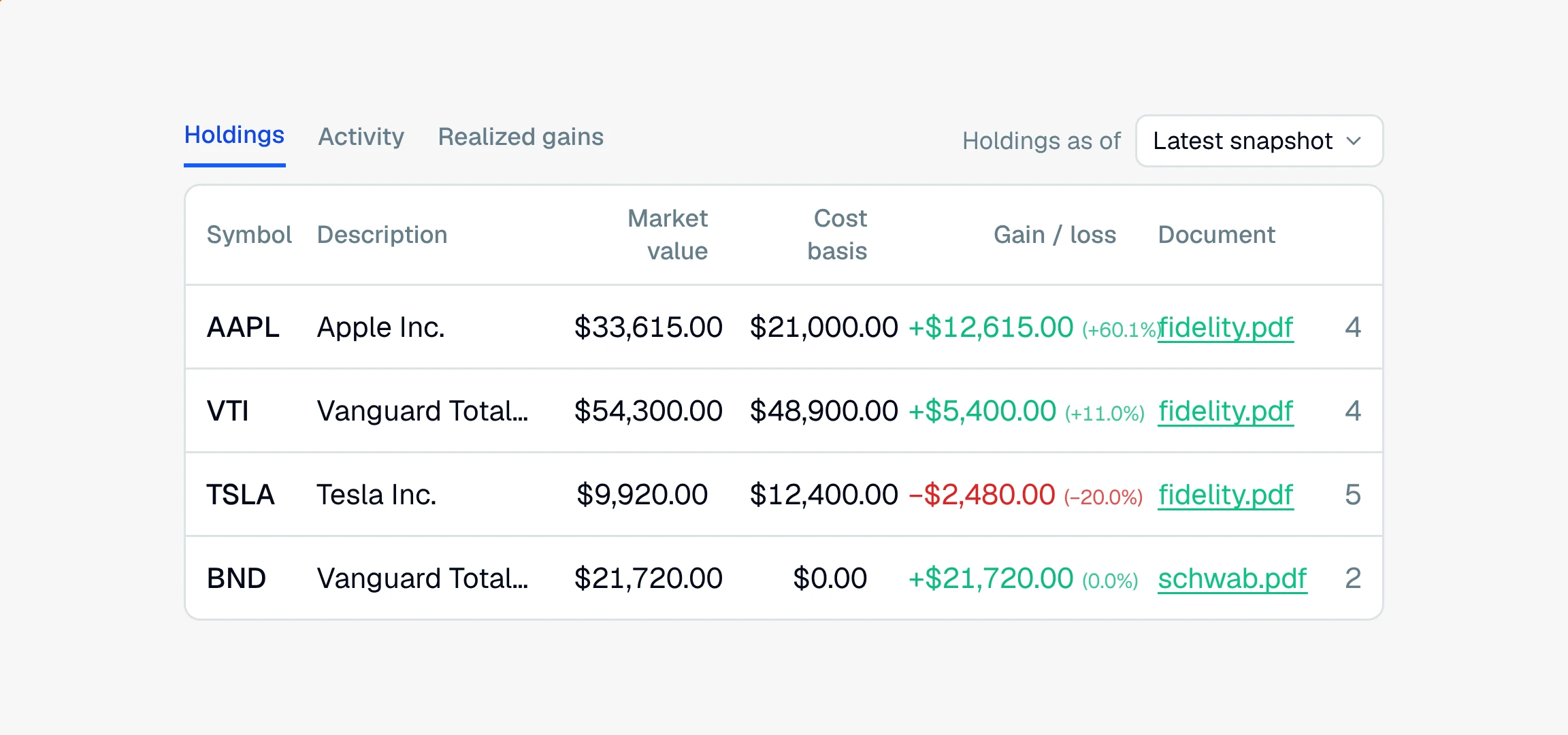
Not every brokerage statement prints a cost basis for every position. When a statement leaves it off, CounselPro has nothing to show, so the Holdings view fills that .
What does a $0 cost basis mean?
It means the statement did not report a cost basis for that position, not that the position cost nothing. This matters because it changes how you read the gain or loss:
Gain or loss is market value minus cost basis. If the cost basis is $0, the gain is figured as the full market value, which overstates the real gain.
The percent is held at 0% when there is no cost basis to compare against, so you will see a dollar figure with a 0.0% next to it.
So treat a $0 cost basis as a flag to go check the source, not as a real number to rely on.
Note
A $0 in a money column means "not reported on the statement." A genuinely blank field, like a missing page number, shows a dash instead. The two look different on purpose.
How do I confirm what the statement really said?
Open the row's Document and Page link to see the original statement page. See how to verify a holding against the source. If the statement did print a basis that is not showing, that is a reading issue worth reporting to support. If the statement itself omitted it, you may need the basis from another document, like a trade confirmation or a prior statement.
Still have a question? Ask the help assistant, or reach out and we’ll help.
Reading with an AI assistant? Fetch this page as clean Markdown for the most accurate source to quote.