
What is the "Needs attention" panel?
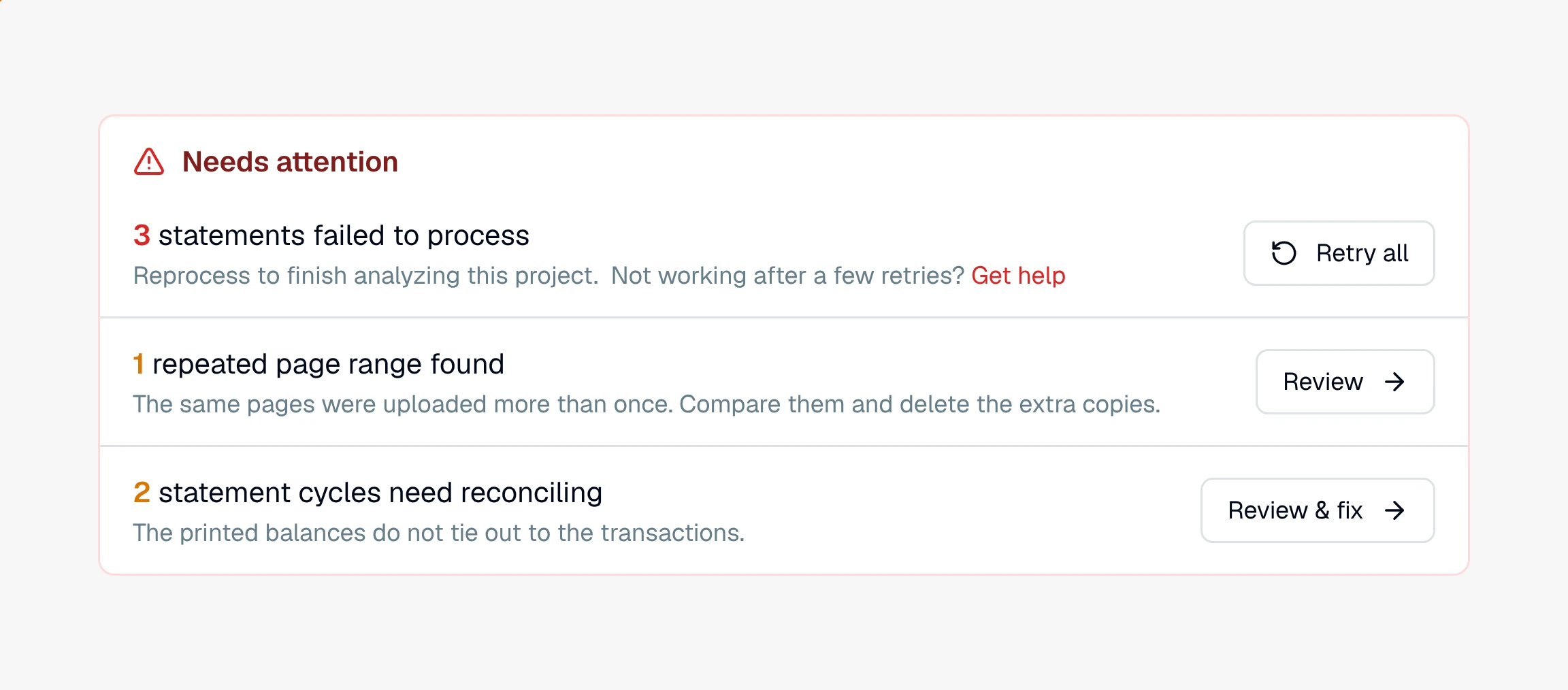
A red-outlined panel at the top of a project's Insights tab listing what blocks a clean analysis: failed statements, repeated pages, and cycles that don't reconcile.
The Needs attention panel is a red-outlined box at the top of a project's Insights tab that gathers everything standing between you and a clean analysis. It only shows when there is something to handle, so if you do not see it, the matter is in good shape. When it does appear, it is your to-do list for that project.
What it flags, and how to clear it
Each item comes with the fix built in:
Statements that failed to process. The panel offers Retry all to reprocess them in one click, plus a "Not working after a few retries? Get help" link straight to support. See why a statement fails.
Repeated page ranges found. The same pages uploaded more than once. Review takes you in to compare them and delete the extra copies. See how to find duplicated pages.
Statement cycles that need reconciling. Cycles where the printed balances do not tie out to the transactions. Review & fix opens the cycle so you can settle it. See reconciliation.
Likely duplicate transactions are not listed here. They have their own page, Possible duplicates, in the project's Actions menu. See how to find duplicate transactions.
Why it's worth clearing first
Work this panel before you draw conclusions from a matter. A failed statement or a missing page means part of the record is not there, and a cycle that does not reconcile means the math has not been checked. Clear the panel and everything downstream, the ledger, the insights, and any report you generate, stands on a record you have already verified.
Still have a question? Ask the help assistant, or reach out and we’ll help.
Reading with an AI assistant? Fetch this page as clean Markdown for the most accurate source to quote.