
How do I find suspicious or unusual transactions?
The Anomalies insight in CounselPro lists the rows worth a second look: the largest amounts in and out, large one-off payees, round numbers, and weekend activity.
In a ledger of thousands of rows, the ones that matter most are usually the biggest, the ones paid to someone who barely appears, and the ones that look hand-made. The Anomalies insight gathers those in one place.
What does the Anomalies insight flag?
Open the Insights tab and go to Anomalies. It has three sections, each with a count of what it flagged:
Outliers, the largest transactions in the project and the large payments to payees who show up only once or twice.
Round-number amounts, transactions that are exact multiples of $100. Clean, round figures often mean a manual entry, an estimate, or a transfer rather than an ordinary purchase.
Weekend activity, transactions dated on a Saturday or Sunday, which are worth a look when most of a client's activity is on weekdays.
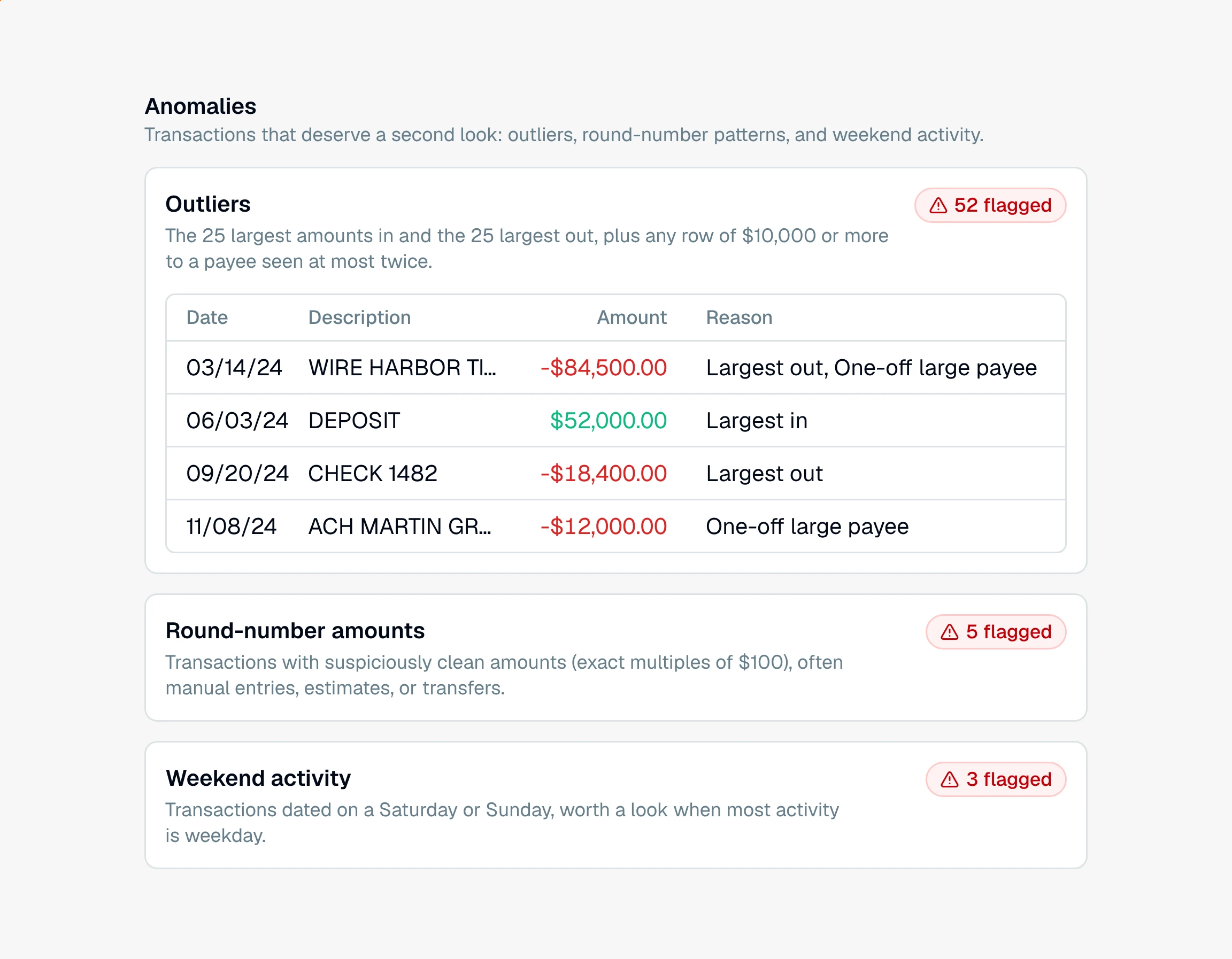
Each flag is a lead, not a conclusion. A large payment can be a house closing, a round number can be rent, and weekend activity can be normal for some clients. The point is to put these rows in front of you so you can decide.
How does CounselPro pick the outliers?
By three plain rules you can repeat to anyone who asks. A row is listed when it is:
Largest in, one of the 25 largest amounts coming into the project's accounts.
Largest out, one of the 25 largest amounts going out.
One-off large payee, a row of $10,000 or more to a payee that appears at most twice in the whole project. Every spelling of the payee counts together, so a merchant written two ways is not mistaken for a stranger.
The Reason column on each row says which rule put it there, and a row can carry more than one. The list is sorted largest first, and you can filter, search, and export it like the ledger. The export includes the Reason.
Two kinds of rows are left out so the list is not crowded with money that never left the client's hands:
Moves between accounts in the project. A transfer out of one project account that lands in another, same amount, within a few days, is not listed. A line under the section description tells you how many were left out and what they add up to.
Investment and retirement accounts. Their rows are large by nature and belong to the portfolio view.
Why does my Outliers section show categories instead of rows?
Because the project's insights were built before the list changed. Older insights show a table of categories with an outlier count for each. Click Regenerate Insights in the project header and the section rebuilds as the single list described here. See when insights update.
You can act on flagged rows right from here: select them to edit in bulk, or open one to dig into the detail. To chase a specific pattern the insight does not cover, ask Daystrom.
Still have a question? Ask the help assistant, or reach out and we’ll help.
Reading with an AI assistant? Fetch this page as clean Markdown for the most accurate source to quote.