
Why is my plan inactive?
A "Your plan is inactive" screen means you have no active plan right now. Pick a plan, agree to the terms, and click Activate plan to get back into the app.
If CounselPro shows Your plan is inactive and blocks you from the app, it means there is no active plan on your account at the moment. This usually happens when a subscription lapses, gets canceled, or a payment does not go through.
How do I reactivate my plan?
The inactive screen has everything you need to get back in:
Open the Plan dropdown and choose the plan you want.
Check the box to agree to the Terms and Conditions.
Click Activate plan.
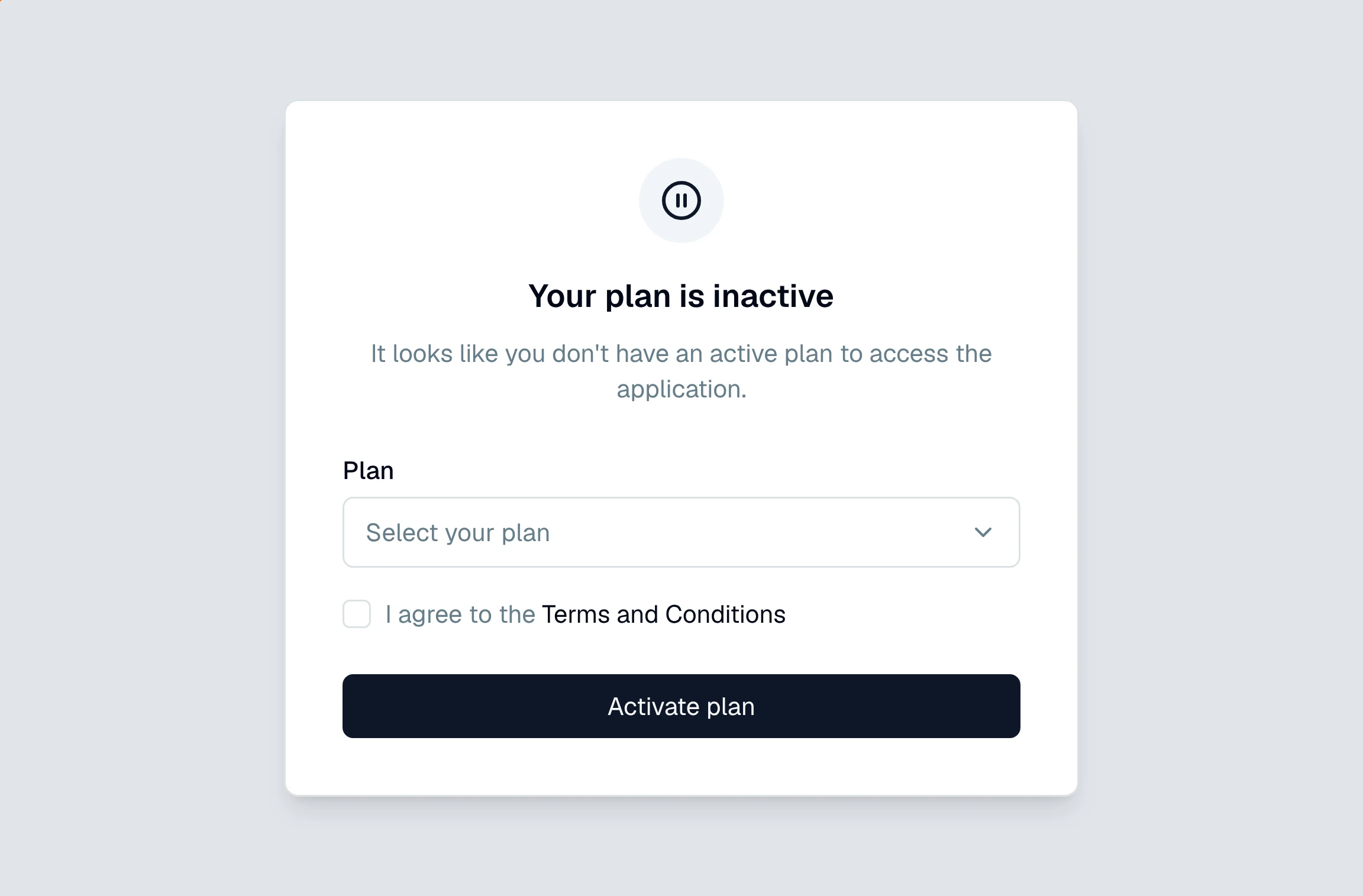
Clicking sends you to checkout to confirm payment. Once that goes through, you land back in the app with your projects and data exactly where you left them.
Why did this happen?
A plan goes inactive for a few ordinary reasons:
The card on file was declined or expired, so a renewal did not process.
The subscription reached the end of its term without renewing.
Someone at your firm canceled the plan.
If you would rather fix the payment method than pick a plan here, an account owner can open the billing portal instead. See how do I manage my subscription.
Note
Reactivating does not touch your projects. Your cases, statements, and analysis are all still there waiting for you.
Still have a question? Ask the help assistant, or reach out and we’ll help.
Reading with an AI assistant? Fetch this page as clean Markdown for the most accurate source to quote.