
How do I ask questions about my client's finances?
Ask Daystrom plain-English questions about your client's money. It reads your real, processed data, shows charts and tables, and exports to a spreadsheet.
With your statements processed and your flags cleared, you can start asking questions. CounselPro gives you three ways to get answers out of a project: Daystrom, the pre-built insights, and the AI Forensic Analysis report.
Ask Daystrom
Daystrom is a panel you can open from the side of any project screen. Ask it plain-English questions about the client's money, the way you would ask a forensic accountant on your team:
"How much did they spend at casinos last year?"
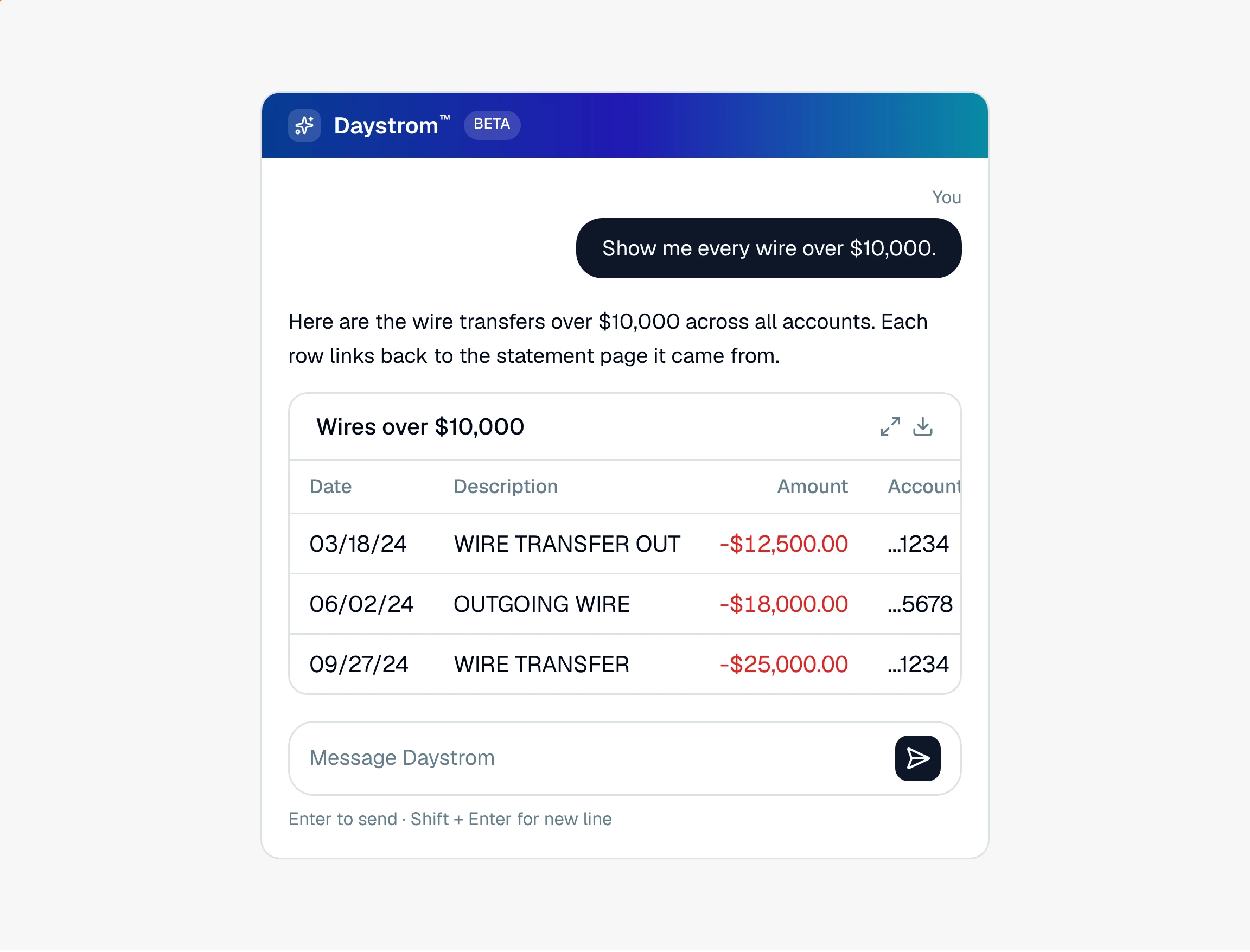
"Show me every wire over 10,000 dollars."
"Chart their monthly income for 2024."
It answers from your real, processed data, not a guess. It can drop transactions and tables right into the chat, draw a chart, build a flow-of-funds diagram, and export what it found to a spreadsheet. When a question could be read two ways, it asks you one quick question with answers you can click before it runs the numbers. Because it works from the statements you uploaded, it links its answers back to the source instead of inventing numbers.
Note
Daystrom works in money that moved: deposits, spending, transfers, and totals over time. It can tell you what a statement printed as a balance, but it does not track a live running balance across accounts.
Use the pre-built insights
The Insights tab has ready-made views you do not have to ask for: income over time, spending by category and merchant, and unusual transactions. Start here when you want the common patterns without typing a question. See statement coverage, which lives in the same tab.
Generate the AI Forensic Analysis report
The AI Analysis tab writes a long-form summary of the project: income, transactions, spending patterns, and related parties. It is a solid first draft of the financial story when you need something to build a filing around.
That is the full loop, from an empty project to answers you can stand behind. If you skipped ahead, go back to the start of the getting started guide.
Still have a question? Ask the help assistant, or reach out and we’ll help.
Reading with an AI assistant? Fetch this page as clean Markdown for the most accurate source to quote.