
How do I revoke a pending invitation?
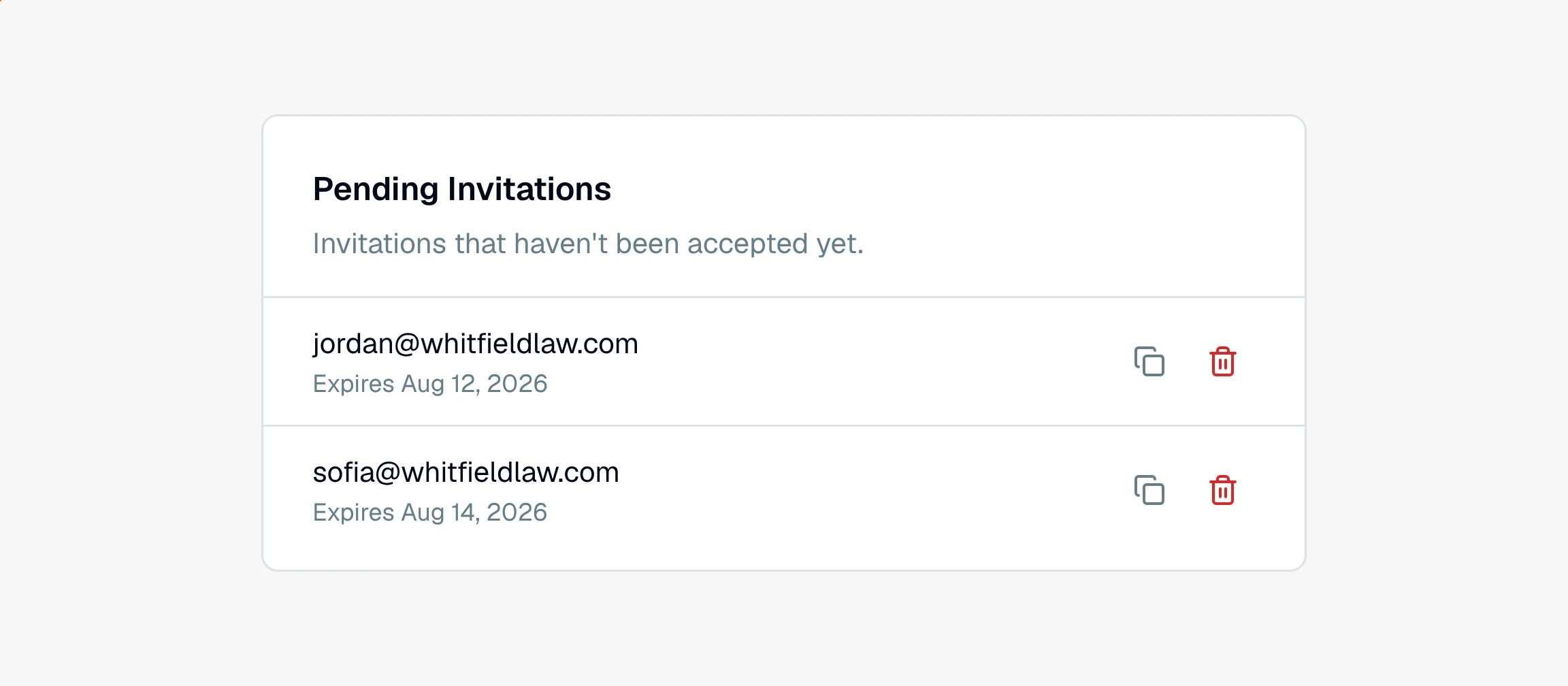
In Settings, open the Pending Invitations card, click the trash icon on the invite you want to cancel, and confirm. The link stops working right away.
If you sent an invite to the wrong address, or someone no longer needs access, you can cancel the invitation before it is accepted. Revoking it makes the link stop working.
How to revoke an invitation
Open Settings from the left sidebar.
Find the Pending Invitations card, which lists every invite that has not been accepted yet.
Click the trash icon on the invitation you want to cancel.
Confirm on the Revoke invitation dialog.
As soon as you confirm, the invitation link no longer works. If you meant to invite a different address, send a fresh invite after you revoke. See how do I invite someone to my account.
Only an account owner manages invitations. Pending invites also expire on their own over time, so an old unaccepted invite eventually stops working even if you do not revoke it. See why is my invitation link invalid or expired.
Still have a question? Ask the help assistant, or reach out and we’ll help.
Reading with an AI assistant? Fetch this page as clean Markdown for the most accurate source to quote.