Claude Personal Finance: connect your bank account to Claude
Claude Personal Finance links your bank accounts through Plaid and answers money questions. See what it reads, what it leaves out, and when you need statements.
You have a checking account at one bank, a credit card at another, a savings account you forget about until tax season, and a strong suspicion that the subscriptions are winning. Anthropic now offers to read all of it for you. Claude Personal Finance links your accounts to Claude, puts your balances and spending on one page, and lets you ask "where did my money go last month?" in plain English.
For your own budget, that is a good deal. It is also a narrower tool than the launch makes it sound. It reads only the accounts you can sign in to, it stops at 24 months, and it sees your bank's data feed rather than the statement your bank printed. If you are working through a divorce, a bankruptcy, a parent's accounts or a business dispute, those limits decide whether it helps at all.
This guide covers what Claude Personal Finance does, how to turn it on, what it can see, and every limit Anthropic lists, with notes on which ones matter when the money is part of a case.
What is Claude Personal Finance?
Claude Personal Finance is a page inside Claude that connects to your bank, credit card, loan and investment accounts. Anthropic's help article on Personal Finance describes it as a read-only view: Claude can look at your accounts, and it cannot move, manage or invest your money.
The page is a dashboard made of widgets you can add, remove and reorder:
Spending and cash flow. Where the money went, and what came in against what went out.
Accounts. Every linked balance in one place.
Subscriptions. The recurring charges, including the streaming service you meant to cancel in March.
Upcoming bills. What is about to come out of your account.
Insights. Short notes from Claude about what it sees in your spending.
You can ask questions on that page, tap one of the suggested questions, or ask in an ordinary chat. "Which subscriptions am I paying for?" and "How much did I spend on food delivery this year?" are the kinds of questions it is built for.
The feature is in beta, and Anthropic is rolling it out gradually, so it may not show up in your account yet.
What questions can Claude Personal Finance answer?
Anything about your own linked accounts in the last two years. Questions that need older history, another person's accounts, or what sits inside an investment account fall outside it.
| Question | Can it answer? | Why |
|---|---|---|
| Which subscriptions am I paying for? | Yes | Recurring charges are in your transactions |
| Where did my money go last month? | Yes | Spending by category is a dashboard widget |
| What bills are coming up this week? | Yes | Upcoming bills is a dashboard widget |
| How much did I spend on travel in 2022? | No | Transactions stop at 24 months |
| Which stocks did I sell this year? | No | Investments show a balance only |
| What did my spouse spend on their own card? | No | Only accounts you sign in to |
| What interest rate am I paying on my card? | No | Rates and terms are left out |
Here is the kind of answer it does well. Ask what you pay in subscriptions each month, and the two months that stand out are the ones worth a closer look.
Subscriptions run $86 a month, jump to $205 in May 2026 for an annual renewal, and settle at $101 a month after a price rise in August 2026.
| Month | Amount | Note |
|---|---|---|
| Nov 2025 | $86 | |
| Dec 2025 | $86 | |
| Jan 2026 | $86 | |
| Feb 2026 | $86 | |
| Mar 2026 | $86 | |
| Apr 2026 | $86 | |
| May 2026 | $205 | Annual app renewal |
| Jun 2026 | $86 | |
| Jul 2026 | $86 | |
| Aug 2026 | $101 | Streaming price went up |
| Sep 2026 | $101 | |
| Oct 2026 | $101 |
How do you connect your bank account to Claude?
Claude connects to banks through Plaid, the same service many budgeting and payment apps use. You sign in to your bank on Plaid's screen, so Claude never sees your bank password.
Open Claude on the web, the desktop app, or the iPhone or Android app.
Pick Personal Finance in the side menu. If you do not see it, look under More.
Select Get started, choose your goals (or skip them), and select Continue.
Select Link accounts with Plaid and review what Claude will be able to read.
In Plaid, pick your bank, sign in, and choose which accounts to share.
Back in Claude, wait for the accounts to appear, then link another bank or select Done.
Anthropic asks you to finish the Plaid step within 10 minutes and go straight back to Claude afterward. Transactions can take a few minutes to load. You can link up to 16 banks, and if you have a joint or business login at the same bank, you can keep both logins side by side.
What can Claude see in your bank accounts?
For each account you share, Claude can read the bank's name, the account's name and type, its last four digits, its balance and credit limit, and up to 24 months of transactions. Each transaction comes with its amount, date, merchant, category and the description your bank gives it.
For investments, loans and cards, the reading is thinner than you might expect.
| Account | What Claude reads | What Claude leaves out |
|---|---|---|
| Checking and savings | Balance and up to 24 months of transactions | Anything older than 24 months |
| Credit cards | Balance and credit limit | Interest rate and card terms |
| Loans | Balance | Rate and loan terms |
| Investments | Balance | Holdings and trades |
That last row surprises people. Claude can tell you a brokerage account holds $84,000, and it cannot tell you what is in it, what was sold, or when. Plaid's screens may still ask you to agree to share investment and loan data, but Anthropic says Claude reads only the items above.
Plaid passes along only the last few digits of each account number, but if your bank puts a full account number in an account name or a transaction description, Claude can see it there.
Is it safe to connect your bank account to Claude?
The setup is careful in the places that usually worry people. Claude reads your accounts and has no way to move money. Your bank login stays with Plaid. Anthropic says conversations in the Personal Finance page are not used to train its models, and chats that use your accounts are kept out of Claude's memory, out of past-chat search, and out of your monthly recap.
The parts that deserve more thought are the ones you control after the answer comes back. Your account figures can end up in four places.
| Where the figures are | Who can see them | How long they stay |
|---|---|---|
| A Personal Finance chat | You | Until you delete the chat |
| An ordinary chat | You, under your usual training setting | Until you delete the chat |
| An artifact | Anyone you share it with | Until you delete the artifact, even after the chat is gone |
| A shared chat link | Anyone with the link | Until you delete the shared link |
Under Anthropic's data retention policy, a deleted chat leaves your history right away and Anthropic's storage within 30 days. Unlinking a bank stops Claude from reading it, and figures already in chats, artifacts and shared links stay until you remove them.
Inside any chat, you can switch Plaid off or on from the + button under Connectors, the same place Claude keeps its other connectors. To stop entirely, unlink every bank in Personal Finance, or disconnect Claude from your bank at my.plaid.com.
What are the limits of Claude Personal Finance?
Anthropic lists the limits plainly in its help article. Here they are in one place, grouped by what they affect.
Who can use Claude Personal Finance?
Paid personal plans only. It is on Pro, Max and Ultra. It is not on the free plan, and it is not on Team or Enterprise.
United States only. You can link US banks only, and the feature hides itself if you open Claude from outside the US (or through a VPN that says you are elsewhere).
Moving to a work account unlinks your banks. If your personal Claude account moves into a Team or Enterprise organization, Claude unlinks your banks when the move starts.
Not in Claude Duet. Personal Finance is unavailable there.
The Team and Enterprise gap matters for professionals. A law firm, accounting firm or financial planner running Claude on a business plan cannot use this feature at all, and it was built for a person looking at their own money anyway.
How far back does Claude Personal Finance go?
Two years. Claude reads up to 24 months of transactions, which covers most budgeting questions and very few legal ones. Questions about a parent's accounts often start well before anyone noticed something was wrong, and the law reaches back further still.
| Question | How far back it reaches |
|---|---|
| Claude Personal Finance | 24 months |
| A bankruptcy payment to an ordinary creditor | 90 days before filing |
| A bankruptcy payment to an insider, such as a relative or partner | 1 year before filing |
| A fraudulent transfer under federal bankruptcy law | 2 years before filing |
| A fraudulent transfer under most state laws | 4 years |
| Divorce discovery requests | Often 3 to 5 years |
The bankruptcy periods come from the federal rules on preference payments and fraudulent transfers. A trustee can also use state law to reach back further, which is where the four-year window comes from in most states.
Here is what that gap looks like on one account. A large transfer two and a half years ago sits in the part of the history Personal Finance never loads.
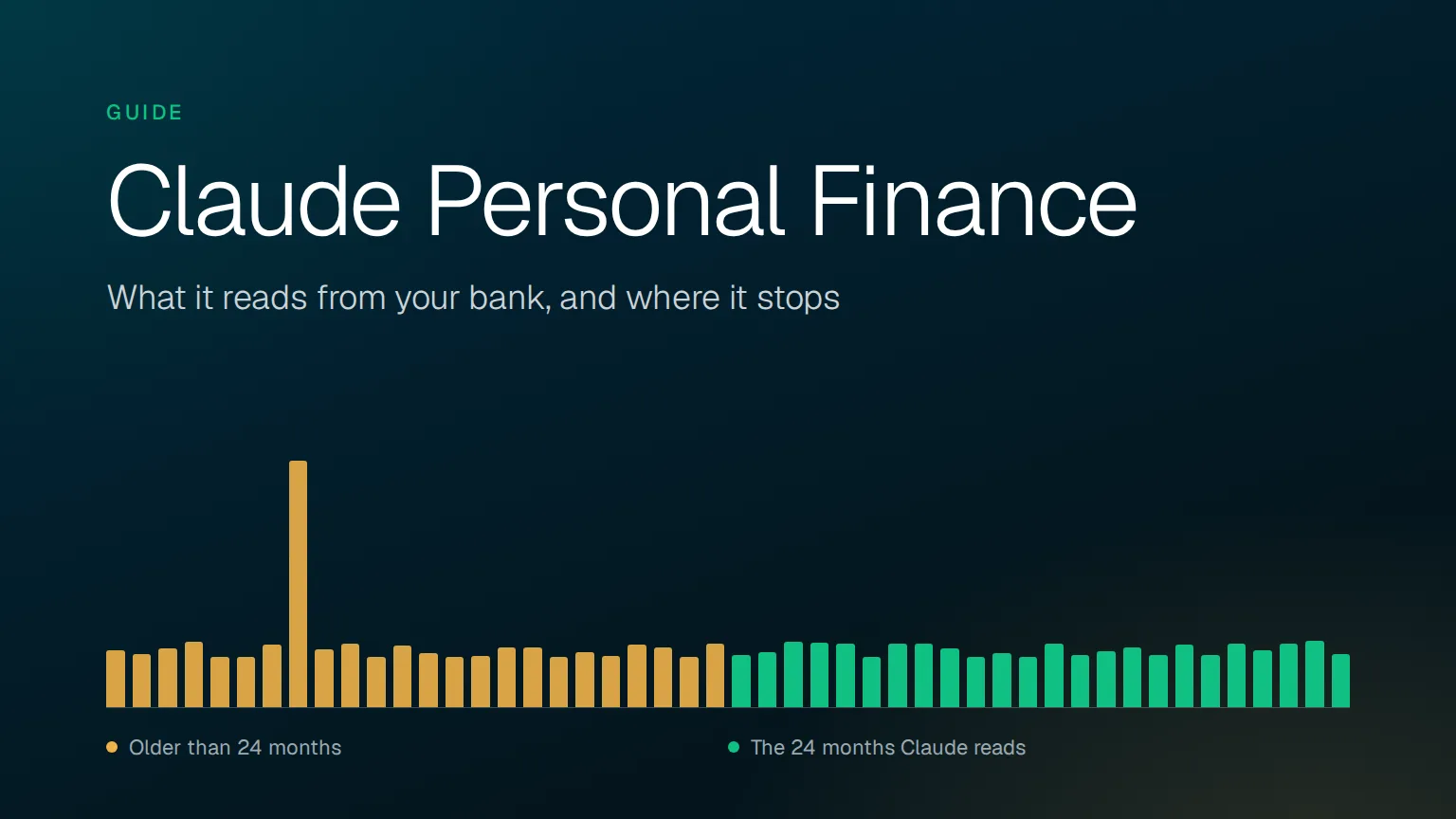
Money out runs between about $3,900 and $5,300 a month for four years, with one $24,800 month in June 2023. That month falls in the older two years, outside the 24 months Claude Personal Finance reads.
| Month | Amount | Note |
|---|---|---|
| Nov 2022 | $4,563 | |
| Dec 2022 | $4,208 | |
| Jan 2023 | $4,708 | |
| Feb 2023 | $5,233 | |
| Mar 2023 | $3,998 | |
| Apr 2023 | $4,048 | |
| May 2023 | $4,997 | |
| Jun 2023 | $24,800 | Large transfer Claude cannot see |
| Jul 2023 | $4,648 | |
| Aug 2023 | $5,093 | |
| Sep 2023 | $4,018 | |
| Oct 2023 | $4,939 | |
| Nov 2023 | $4,339 | |
| Dec 2023 | $3,976 | |
| Jan 2024 | $4,076 | |
| Feb 2024 | $4,788 | |
| Mar 2024 | $4,756 | |
| Apr 2024 | $4,043 | |
| May 2024 | $4,392 | |
| Jun 2024 | $4,085 | |
| Jul 2024 | $5,028 | |
| Aug 2024 | $4,769 | |
| Sep 2024 | $4,021 | |
| Oct 2024 | $5,058 | |
| Nov 2024 | $4,153 | |
| Dec 2024 | $4,357 | |
| Jan 2025 | $5,191 | |
| Feb 2025 | $5,184 | |
| Mar 2025 | $5,093 | |
| Apr 2025 | $4,026 | |
| May 2025 | $5,081 | |
| Jun 2025 | $5,099 | |
| Jul 2025 | $4,712 | |
| Aug 2025 | $4,001 | |
| Sep 2025 | $4,352 | |
| Oct 2025 | $3,995 | |
| Nov 2025 | $5,040 | |
| Dec 2025 | $4,172 | |
| Jan 2026 | $4,493 | |
| Feb 2026 | $4,758 | |
| Mar 2026 | $4,195 | |
| Apr 2026 | $5,007 | |
| May 2026 | $4,141 | |
| Jun 2026 | $5,069 | |
| Jul 2026 | $4,531 | |
| Aug 2026 | $5,047 | |
| Sep 2026 | $5,296 | |
| Oct 2026 | $4,270 |
Can Claude Personal Finance see investment holdings?
No. For investment accounts, Claude reads the balance and nothing about holdings or trades. For loans and cards, it reads balances and credit limits, without rates or terms. Anthropic also says plainly that Personal Finance is not designed to give investment advice.
How accurate are Claude Personal Finance numbers?
Anthropic's own warnings are the best guide here:
Claude can make mistakes. Anthropic tells you to check important figures against your bank's app or statements.
Balances can run a day or two behind. The data comes through Plaid on its schedule, so today's balance may be yesterday's.
An account can be counted twice. If the same account shows up under two bank logins and the bank describes it differently each time, totals may include it twice.
Unlinked banks are invisible. Anthropic warns that a budget can show more money left than you have, because spending at a bank you never linked is missing from the math.
That last point is the one people trip over. The dashboard is only as complete as the list of banks you connected, and it has no way to know about the credit union card you forgot. Here is one month where that happens.
| What the dashboard counts | What happened | |
|---|---|---|
| Pay deposited | $5,680 | $5,680 |
| Spending at the linked bank | $3,240 | $3,240 |
| Spending on the unlinked credit union card | $0 | $1,460 |
| Left over | $2,440 | $980 |
The dashboard says you have $2,440 to spare. You have $980.
Can you use Claude Personal Finance in projects or Claude Code?
Scheduled tasks, Cowork tasks and Claude Code cannot use your linked accounts.
Projects may not be able to use them either.
Chats that already ran code, made files or started from an artifact cannot use your accounts. Start a new chat outside a project instead.
Files are limited inside linked-account chats. Claude can show text and tables and make plain-text files such as a .csv, but Anthropic says it "may not be able to run code or work with Word, Excel, PowerPoint, or PDF files."
What happens to your dashboard if you unlink your last bank?
It resets, and the reset is permanent. Unlinking your last bank deletes your widgets, budget settings and setup answers. Data exports do not yet include the Personal Finance dashboard, so there is no saved copy to fall back on. Unlinking also works per login: you cannot unlink one account and keep the others from the same bank.
Can you use Claude Personal Finance for a divorce, bankruptcy or estate case?
Mostly no, and the reasons come straight from how the feature is built.
It reads only accounts you can sign in to. In a divorce, the accounts in question often belong to the other spouse. In a bankruptcy, they belong to the debtor. With a parent's money, they may be in a name you do not have a login for. Those records arrive as statements: PDFs, scans, or a box of paper. Personal Finance has no way to read them.
It stops at 24 months. Most disputes about money reach back further than that, as the lookback periods above show.
It sees the bank's feed, not the printed page. The transactions come through Plaid with Plaid's categories and descriptions. When a figure ends up in a financial affidavit, a trustee's report or an accounting for the court, the other side will ask which statement page it came from, and a chat answer has no page to point to.
It cannot see what is inside an investment account. If the question is whether stock was sold before a filing or moved before a separation, the balance alone will not answer it.
A single month of a statement shows the problem. Each marked line below is a question a case needs answered, and each answer sits somewhere Personal Finance cannot reach.
October 2026 opens at $3,412.18 and closes at $6,409.44, with two payroll deposits, a transfer to a savings account, a Zelle payment, a check, a cash withdrawal and two small charges.
| Date | Description | Withdrawals | Deposits | Balance | Note |
|---|---|---|---|---|---|
| 10/01 | PAYROLL DEPOSIT NORTHSIDE MED | 2,840.00 | 6,252.18 | ||
| 10/03 | SQ *CORNER BAKERY 0412 | 14.75 | 6,237.43 | ||
| 10/06 | ONLINE TRANSFER TO SAV XXXX8831 | 500.00 | 5,737.43 | Savings account nobody listed | |
| 10/09 | ZELLE TO R MARTINEZ | 650.00 | 5,087.43 | New payee this month | |
| 10/14 | CHECK 1047 | 1,200.00 | 3,887.43 | Payee only on check image | |
| 10/15 | PAYROLL DEPOSIT NORTHSIDE MED | 2,840.00 | 6,727.43 | ||
| 10/20 | ATM WITHDRAWAL 1120 ELM ST | 300.00 | 6,427.43 | Cash, no trail after | |
| 10/27 | CINEMAPLUS.COM | 17.99 | 6,409.44 |
In Personal Finance, these lines would arrive with a merchant and a category, such as a transfer, a payment or cash. Answering the marked ones takes the statements for the account ending 8831, the image of check 1047, and records from whoever R Martinez is, which are all documents rather than a login.
There is one place it helps. If you need your own household's spending for a financial affidavit, Personal Finance gives you a quick first look at the last two years. Treat it as a starting point. Our guide to calculating monthly expenses for a financial affidavit walks through the checks the numbers need before you sign anything, such as setting aside transfers between your own accounts.
Can Claude read a PDF bank statement instead?
Yes, in an ordinary chat. You can attach a statement to a regular Claude conversation and ask it to pull out the transactions, which is a separate path from Personal Finance. Our step-by-step guide on how to use Claude to extract bank statement data covers the prompts that work and where the method gets shaky as the stack grows. We also compared ChatGPT, Claude and Gemini on financial document review if you are choosing between them.
For one or two statements you can check by eye, a chat is fine. Once you have years of records across several accounts, and especially when some of those accounts are ones nobody mentioned (our guide on how to find hidden bank accounts shows where they turn up), you need every row of every month, with each figure linked to the page that printed it.
When is Claude Personal Finance the right tool?
When the money is yours, the question is about the last two years, and nobody else needs to check the answer. That covers a lot of ordinary life:
Finding subscriptions you forgot about.
Seeing what you spend on groceries, dining out or travel.
Watching cash flow between paychecks.
Getting a rough monthly budget before you meet with a planner.
It is a good feature, and the read-only design with Plaid in the middle is a sensible way to build it. The limits only start to bite when the question moves from "where is my money going?" to "where did their money go, and can you prove it?"
How to analyze bank statements you cannot link to Claude
When the records come as statements, from banks you cannot sign in to, going back further than two years, CounselPro reads them as they are. It takes bank, credit card and check statements from virtually any US bank, scans included, and turns every month into rows you can search, total and export. Every figure links back to the statement page it came from, so when someone asks where a number came from, you can show them the page.
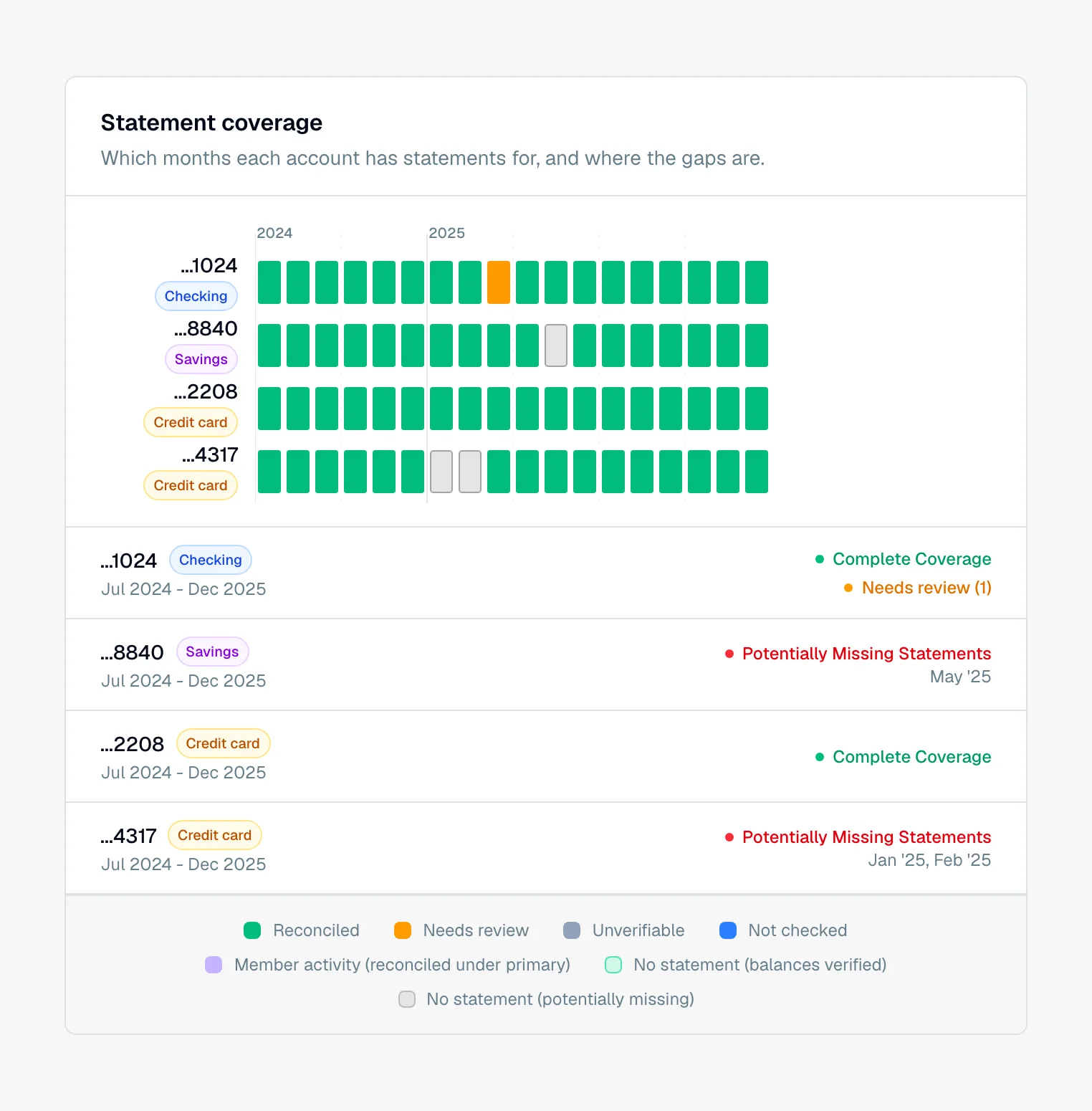
You can try it on your own statements with 50 free pages.